Intro header



Premios



Innovadores 2017 awards
best TIC project
GIS_NOGIS
Land Parcel Identification System
directly on your mobile device
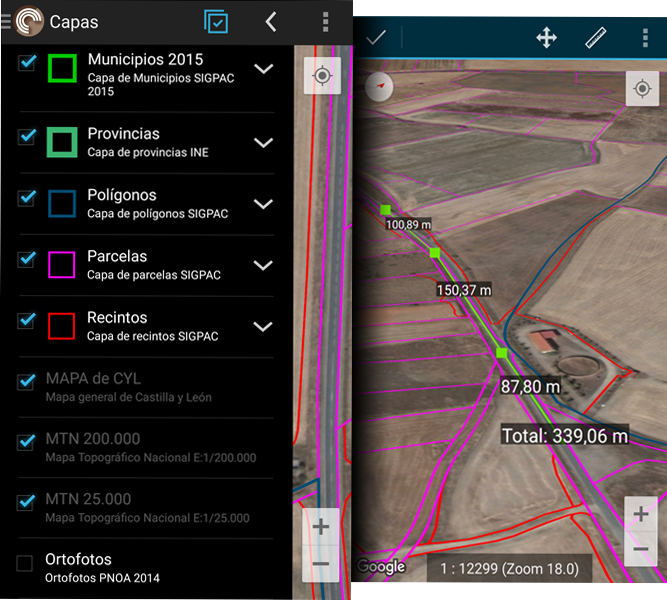
In many areas, mobile coverage is insufficient to be able to use applications that consult cartography through mobile data connection (Land Parcel Identification System (LPIS), Cadastre, Google Maps, ...).
CartoDruid can be used without problems in these areas, you can download the cartographic information you need (parcels, polygons, municipalities, orthophotos, ...) and work with it directly on the mobile device without data coverage.
Raster and vector data
Offline
In many areas in the field, mobile network coverage is non-existent or insufficient, so connected solutions (data stored on a server) are not the best option when data capture is required anywhere or when managing large volumes of information.
CartoDruid tries to solve the problem of disconnected geographic information editing through a powerful mobile tool that allows working with vector and raster layers in many different formats such as SpatiaLite, Shapefile, GeoJSON, MBTiles, etc.
CartoDruid can also consume online map services such as Google Maps, Web Map Services (WMS), ...
Associates information with terrain features
Link all the information you need to its real location, easily and uniformly, and export it later to work on your computer.
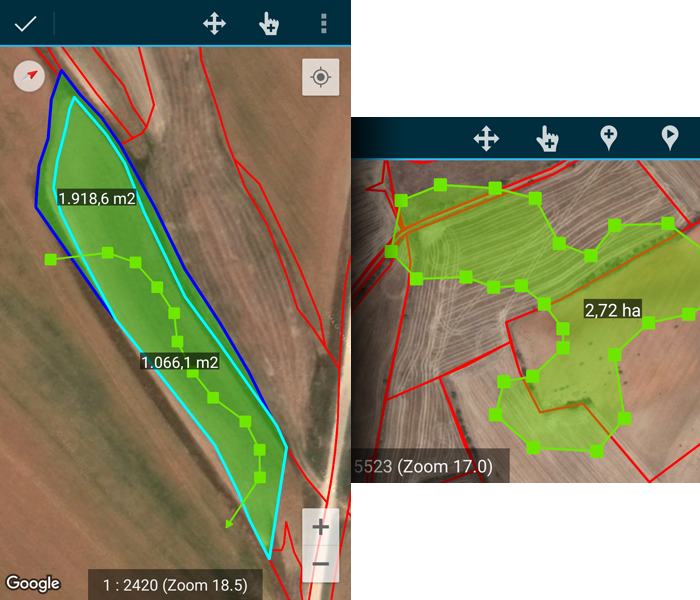
CartoDruid allows you to draw on the map elements of reality (streetlights, rivers, parcels, ...) modeled like points, lines or polygons, and associate the information you need in your tasks using forms.
The tool includes a multitude of drawing options (pivots, GPS, manual, ...) to collect terrain features.
Point, polylines and polygons
Edit vector data easily
The CartoDruid Geometry Editing Engine brings the full power of the GIS edition of point, line and polygonal map features.
Edit and create geometries by drawing them directly on the screen or using GPS. It gives a great power collecting and editing geographic data in the field.
Quick, easy and right in the field.
Synchronize your data across different devices
CartoDruid includes two plugins to facilitate data synchronization between devices and work environments, adapting to different needs within GIS projects.
-
CartoDruid Synchronizer for cloud synchronization
-
CartoDruid Device Sync for local device synchronization
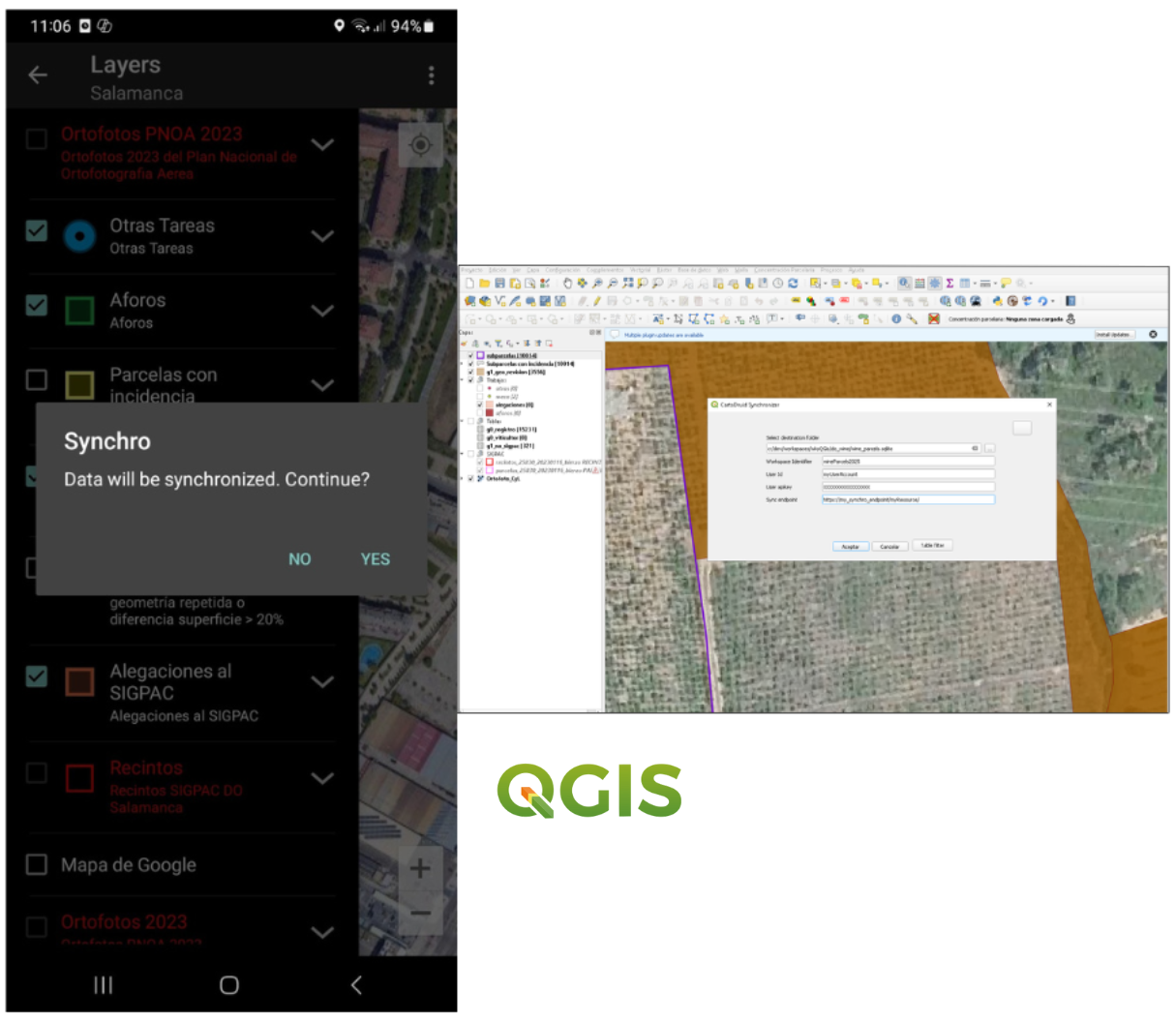
With CartoDruid Synchronizer you can work as a team and easily share information. Synchronize your project data in real time across multiple devices and users, ensuring everyone always works with the most up-to-date information.
In addition, thanks to this synchronization system, you can connect your data directly with QGIS and further enhance your workflow.
Do you need to integrate CartoDruid with your organization¿s tools? Configure different synchronization options and adapt the solution to your needs.
You can request access to our services through this form.
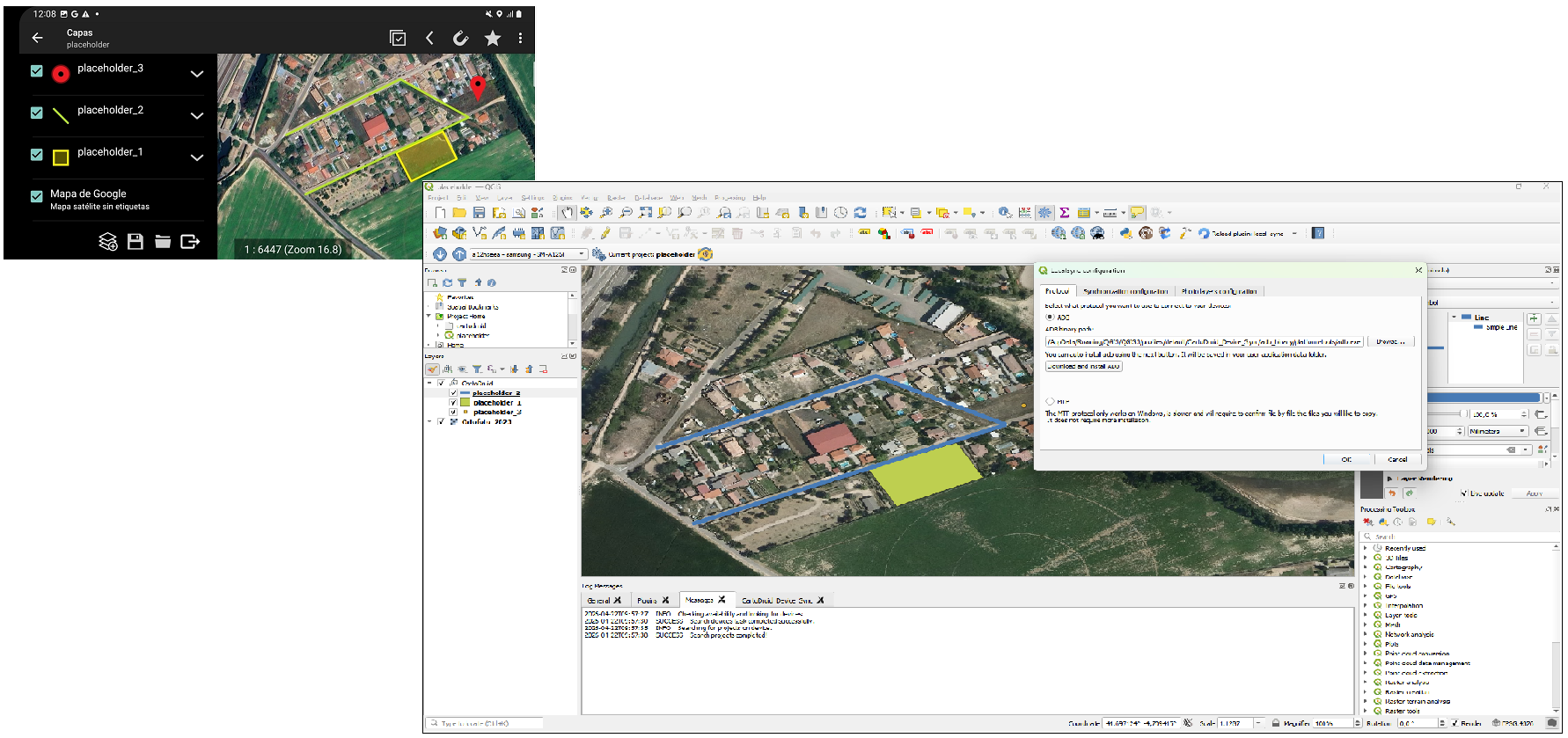
CartoDruid Device Sync is a tool that allows you to synchronize files between a computer and one or multiple mobile devices in a simple way. Thanks to this plugin, you can keep your data updated between CartoDruid and your PC work environment, without the need for cloud services or complex configurations.
It is designed to facilitate field data exchange, allowing you to transfer data from mobile to computer (and vice versa) quickly and efficiently.
You can find the full documentation at the following link: CartoDruid Device Sync.
You can also watch the video tutorial we have prepared, which explains step by step how to install, configure, and use the tool. You can access it through the following link: CartoDruid Device Sync Video Tutorial .
Configurable and secure synchronization
CartoDruid includes two plugins to facilitate data synchronization between devices and work environments, adapting to different needs within GIS projects.
-
CartoDruid Synchronizer for cloud synchronization
-
CartoDruid Device Sync for local device synchronization
CartoDruid Synchronizer allows you to synchronize SpatiaLite databases across multiple devices, ensuring data consistency in collaborative environments. It enables the definition of different replication policies, adapting synchronization to project needs.
The system allows external services to be configured for sending and receiving data, making integration with organizational systems easier. In addition, synchronization requires user authentication, ensuring security and access control.
This plugin integrates with QGIS, allowing data to be shared and kept up to date between mobile devices and the desktop environment easily.
You can request access to our services through this form.
CartoDruid Device Sync is a QGIS plugin designed to synchronize files between a computer and one or multiple mobile devices in a simple way, enabling efficient collaboration through a central office computer.
It allows transferring configurations, data, georeferenced images, and entire folder structures using protocols such as ADB and MTP, enabling fast and direct exchange between devices.
It also includes wizards that simplify configuration and integration with QGIS projects, streamlining the workflow.
You can find the full documentation at the following link: CartoDruid Device Sync.
You can also watch the video tutorial we have prepared, which explains step by step how to install, configure, and use the tool. You can access it through the following link: CartoDruid Device Sync Video Tutorial .
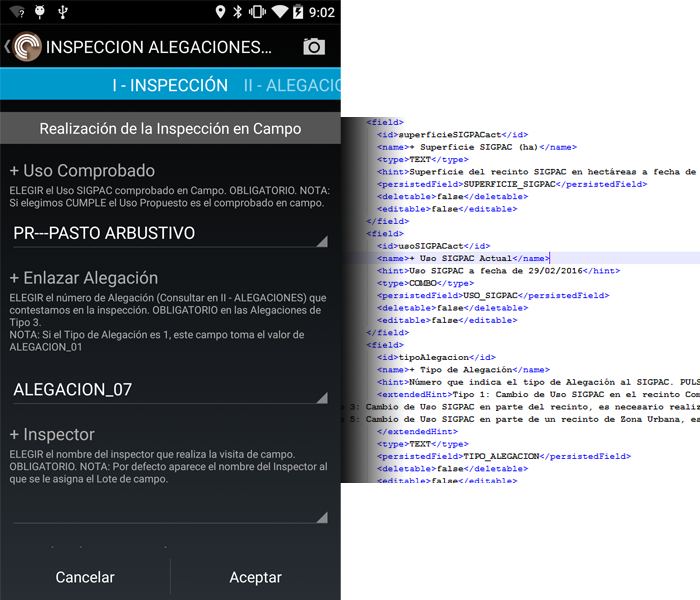
Create custom forms and collect alphanumeric data
With CartoDruid you can create specific forms to record the information you handle in your work.
Create a layer or table with the fields you need and CartoDruid will help you in associate this information with an element of the terrain.
You can use these forms without using geographical layers and apply them to many sectors: surveys, marketing studies, collection of statistical data, ...
Custom forms to collect alphanumeric data in a simple way
The CartoDruid engine allows form creation for data collection in a simple way, and it can be used to collect data related to cartographic features as well as alphanumeric tables.
CartoDruid has a form management tool (FormuDroid) that allows the collection of data offline in projects without geographic data. This can be used for surveys, marketing studies in the field, collection of statistical data, ...